I find myself often having to write boilerplate code for my day job, usually importing the same python modules in test scripts/notebooks. There are plugins to do this in neovim, but I typically use something native and minimalist. Here is a quick overview of snippet handling in plain lua.
My snippets are all stored in a similar format: $HOME/.config/nvim/snippets/<language>_snippets.txt
Example
For example, a preview from my python snippets is this:
# data science combo: common imports
import os
import sys
import pathlib
import logging
import pandas as pd
import numpy as np
import matplotlib.pyplot as plt
import seaborn as sns

# logging setup: basic logging config
logging.basicConfig(
    level=logging.INFO,
    format='%(asctime)s - %(levelname)s - %(message)s'
)
The syntax is:
# search pattern: description
... snippet ...
Fuzzy finding snippets
I integrate my workflow with fzf-lua to easily find snippets using this function
The keymap <leader>-si will open a floating fzf preview, showing what the selected snippet is.
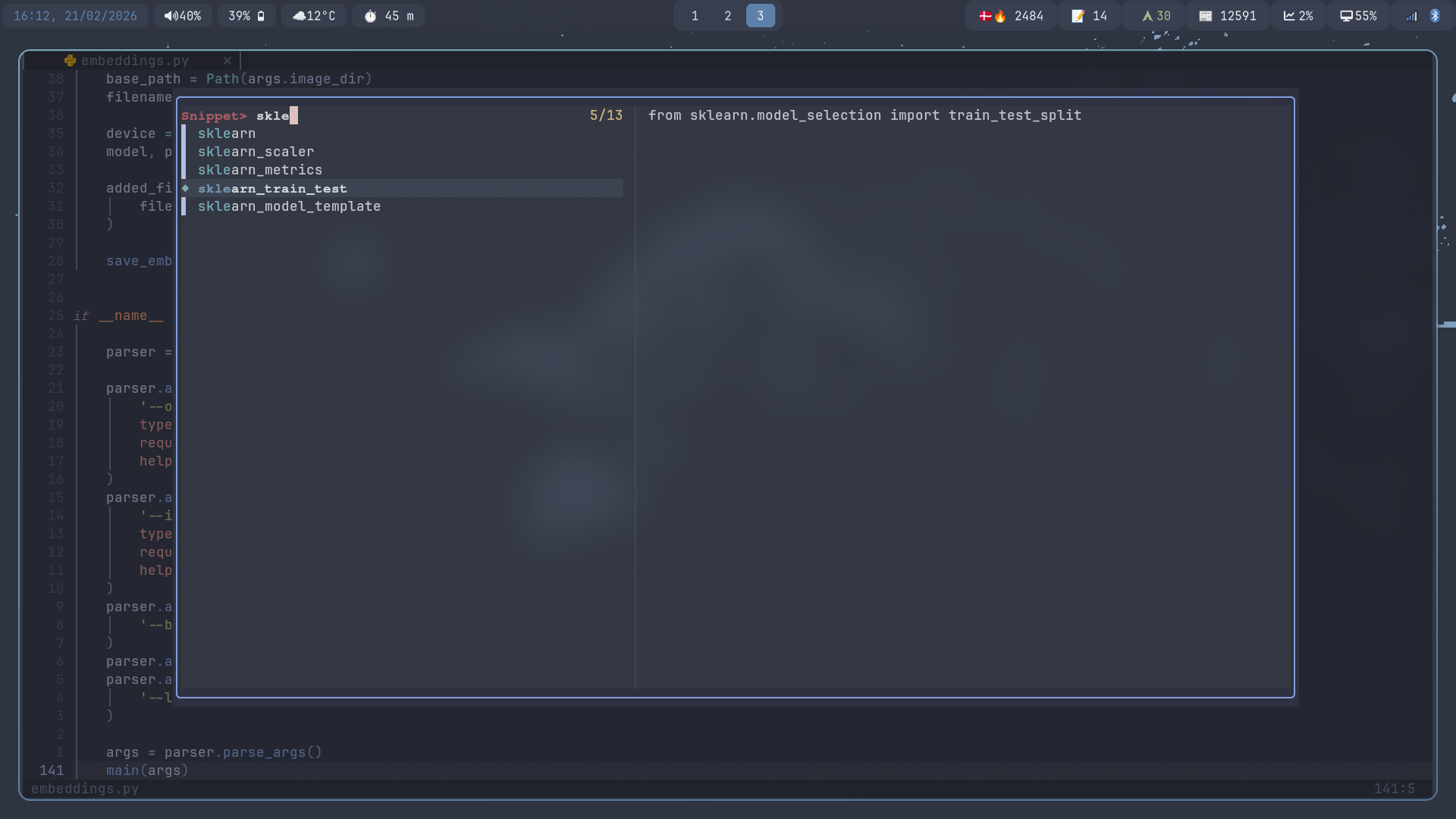
The really cool bit (if I say so myself) is this line:
local snippet_file = vim.fn.expand('~/.config/nvim/snippets/' .. ft .. '_snippets.txt')
which will select the correct snippet file based on the current filetype. This allows me to use the same binding across all files.

Outlook
I mainly use this for python, but this workflow could easily be incorporated for SQL (join, CTE syntax), bash, or just remembering which way around to place your markdown link brackets:
# markdown links: markdown links
[]()